Adding an E-IPA-HX Card (Manual)
To add an E-IPA-HX card:
-
In Hardware > Cards and Ports, navigate to an available slot number (marked Empty). Do either of the following:
-
Double click the slot.
-
Right-click the slot and select Set Card Type.
-
A drop-down menu is displayed, listing the available card types. Select E-IPA-HX.
-
From the Card Properties screen, select the correct Port License.
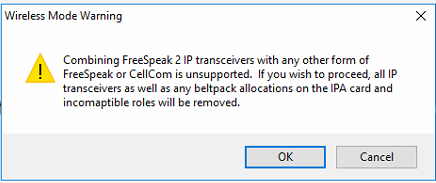
It is not possible to have both E-IPA based FSII cards and EQue based FSII cards in the same Matrix. If you do so the following warning message appears:
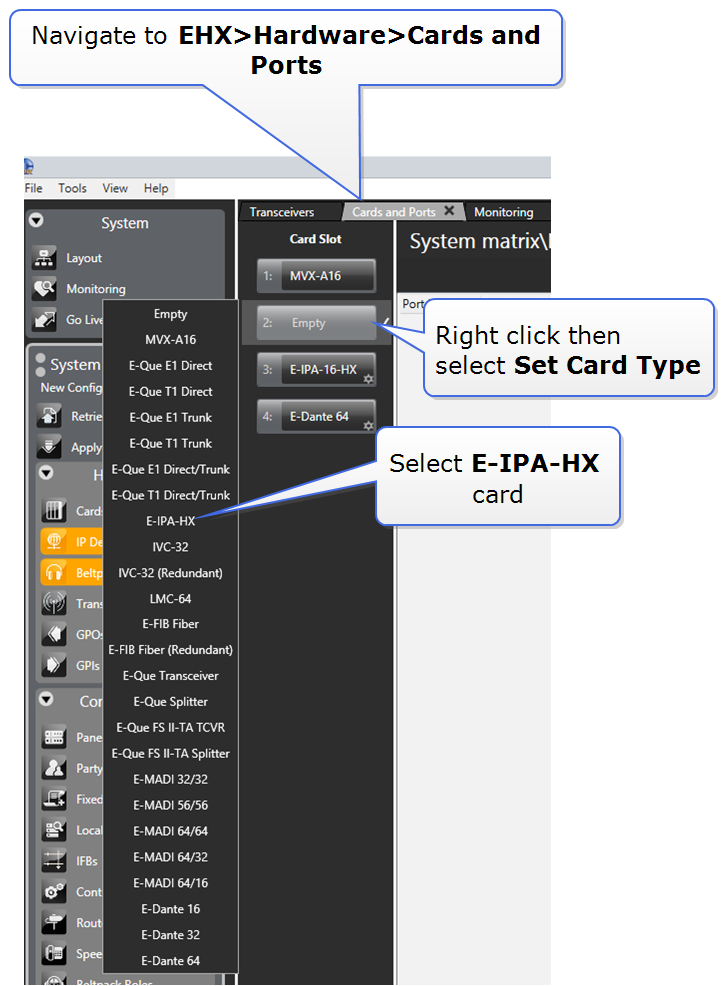
You can also use the Detect New Hardware feature in EHX to discover the card. Use this feature if the hardware is installed before the software is configured. This feature auto-detects the number of ports available on the card.
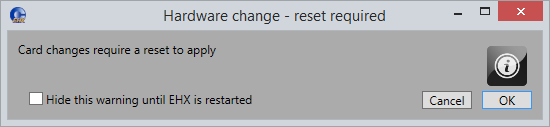
| Note: | When you add or remove a card in your configuration, the following message appears. |
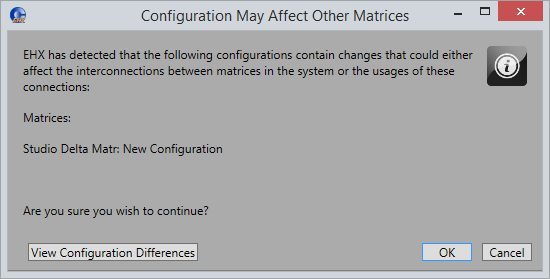
If your configuration contains linked matrices, the following message might appear when you apply changes to the matrix:
-
Click View Configuration Differences to see a list of possible interconnection issues.
-
Click OK to continue, or Cancel.
-
The E-IPA-HX Card Properties screen appears:
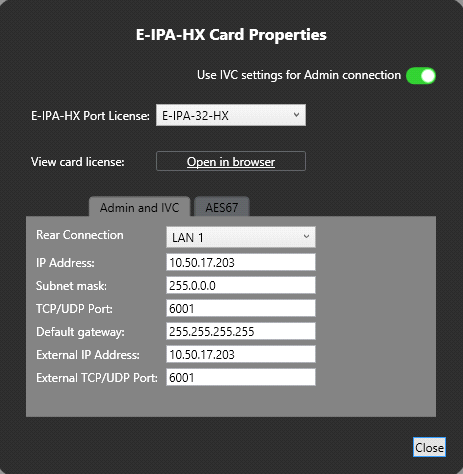
Change the edit fields as required, and then click Close.
| Note: | To view and edit the E-IPA-HX card properties at any time, double click on the E-IPA-HX Card Slot or right-click and select Card Properties |
After you have added a card, you can move it to another card slot as follows:
-
Right-click the card slot to be moved, and select Move Card.
-
Right-click the required empty card slot, and select Paste Card (Move).
The card moves to its new position, and it maintains its configuration.