Viewing an IFB in Detail View
In Assignment view, you can open an IFB in Detail view. This shows an expanded version of the IFB. In this view you can see the audio crosspoints that exist in the IFB. To open an IFB in Detail view from summary view, either:
-
Click on the expand button
-
Double-click anywhere on the title area at the top of the IFB window.
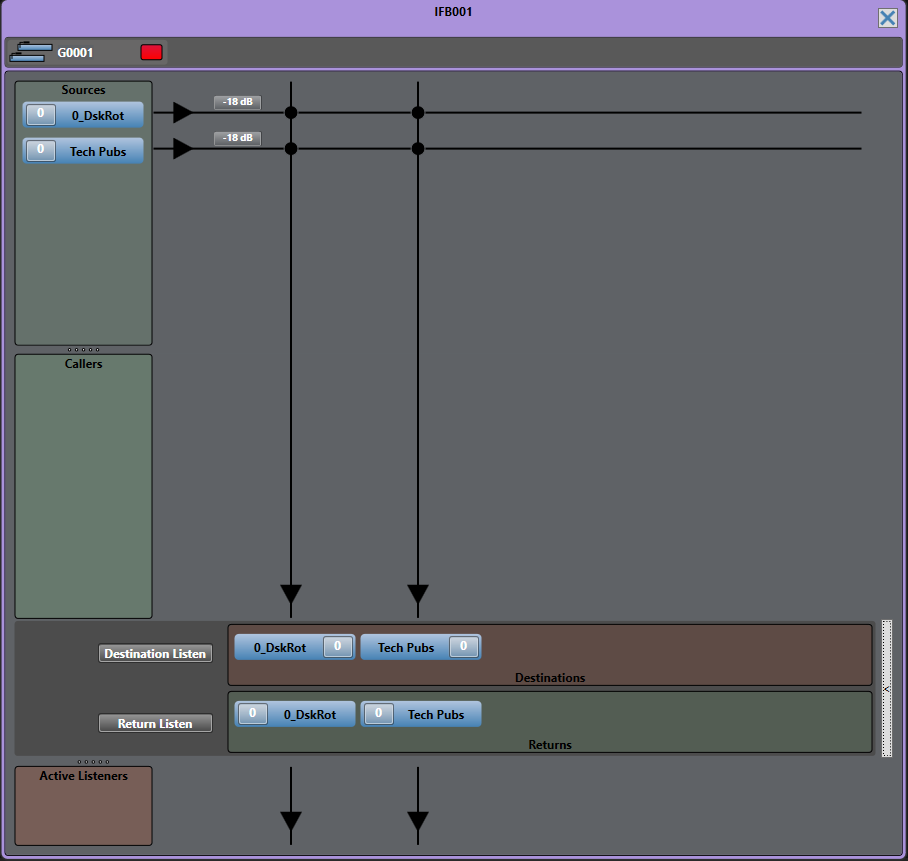
The next two diagrams show the IFB detailed views.
IFB in detailed view...
IFB in detailed view with active caller...
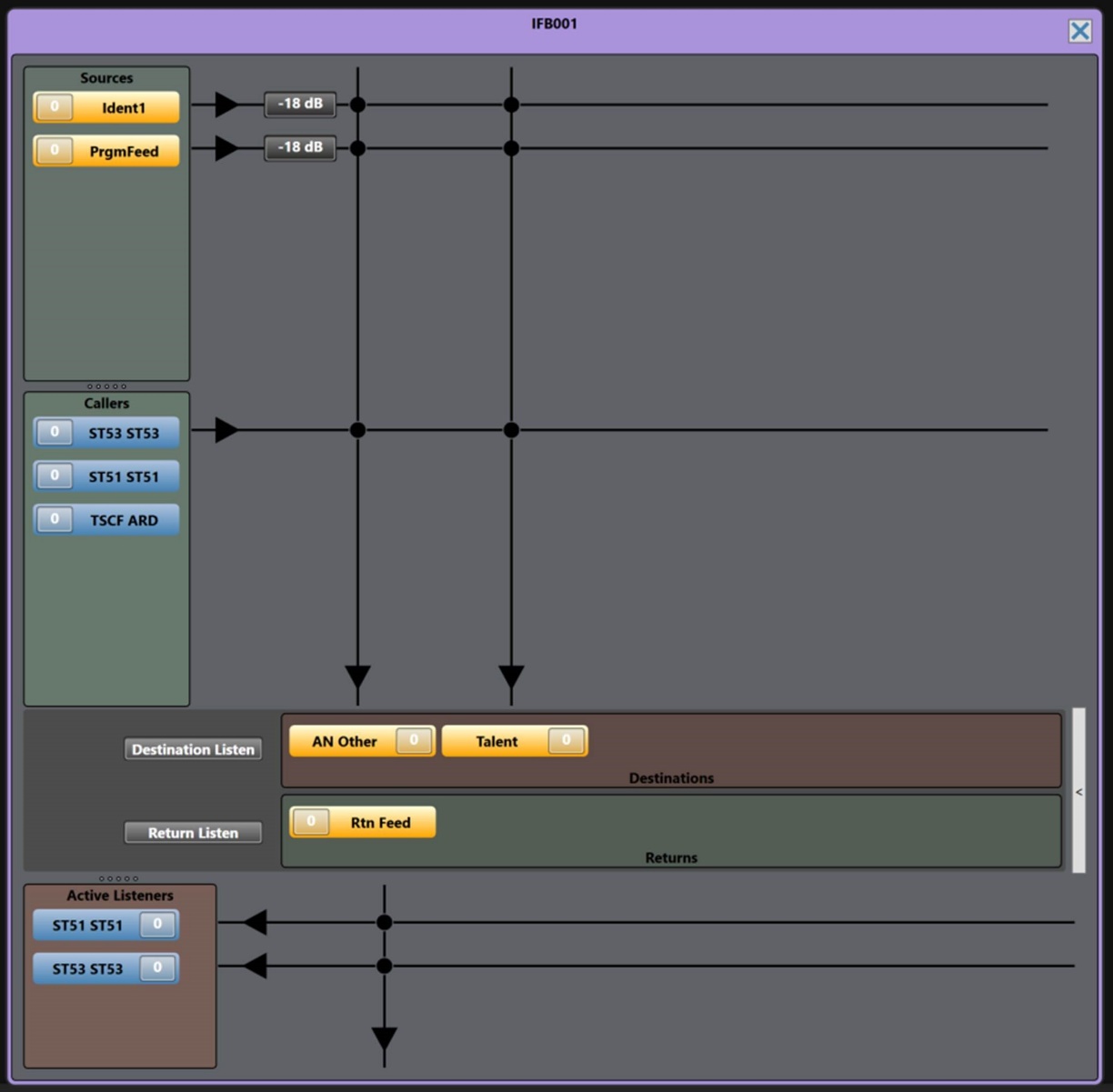
The information displayed in the IFB in Detail view depends on what you select in the Settings > IFB Display > IFB Detailed View. You can choose to display:
-
Only the active IFB callers
-
The IFB priorities
-
The advanced IFB detailed view. This view shows the IFB return routing to the caller.
-
Active listeners.
For more information, see Using the Settings Screen.
In detailed view you can:
-
View, add and remove sources, destinations and returns
Note: You can view the IFB priority for sources. Select Settings > IFB Display > Display priorities in IFB detailed view.
-
View a list of active and potential callers. This list is sorted alphanumerically. An active caller displays with a crosspoint to the destination.
Note: You can choose not to display potential callers in the Callers list. Select Settings > IFB Display > Display only active IFB callers in detailed view.
-
Adjust port input gain on callers and sources
-
Adjust port output gains on destination and port input gains on return listens.
-
Adjust IFB dim levels
You can also adjust port input and output gains from the canvas. See Controlling Input and Output Levels.
Add and remove sources, destinations and returns by drag and drop as for the summary view.
Use the level meter to adjust port gains as for the summary view.
When an IFB caller is active, the source and any other caller of lower priority are dimmed.
Audio from IFB callers with the same priority is mixed.
Cursor metering is available on the input and output levels of the ports. In the IFB, Destination Listen and Return Listen metering points are also available.