Virtual Interruptible Foldbacks
Eclipse HX and above offers a new, much-enhanced architecture for interruptible foldbacks (IFBs). IFBs are now created and configured as virtual software entities
This section explains how to:
-
Display IFBs
-
Interpret the IFB information available within Dynam-EC
-
Dynamically control and configure IFBs
Dynam-EC 10.0 uses virtual IFBs. These virtual entities have a number of advantages over more traditionally configured interfaces. They:
-
Are easier to configure without the need for complicated cabling
-
Support multiple sources, destinations and returns.
-
Support multiple callers. The callers to the IFB destination, typically the talent such as a news anchor, are given a priority level from 1 – 5 (level 5 has highest priority).
-
Allow members of a key group to trigger the IFBs.
-
Allow monitoring of program feeds anywhere in the system without the need for patch panels. This enables troubleshooting of audio feeds.
A program feed is typically a mix of audio. Listeners at different locations hear different program feeds as required.
You create IFBs in the EHX Configuration Software. These IFBs are then visible within Dynam-EC, where you can configure them.
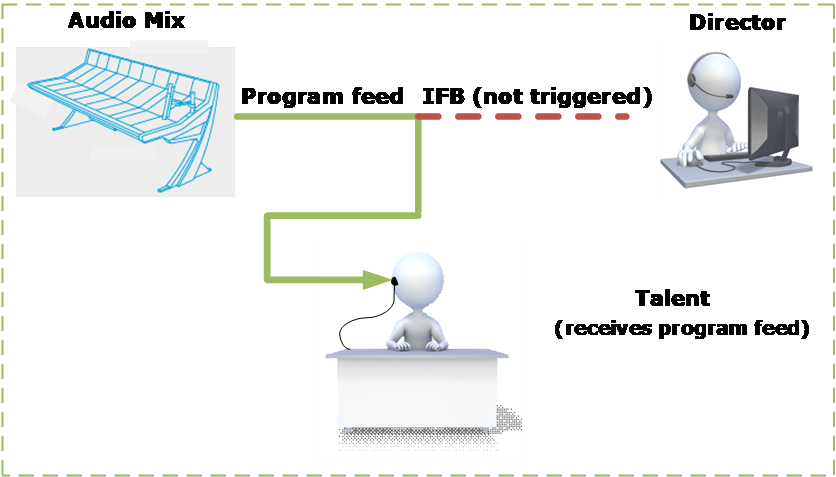
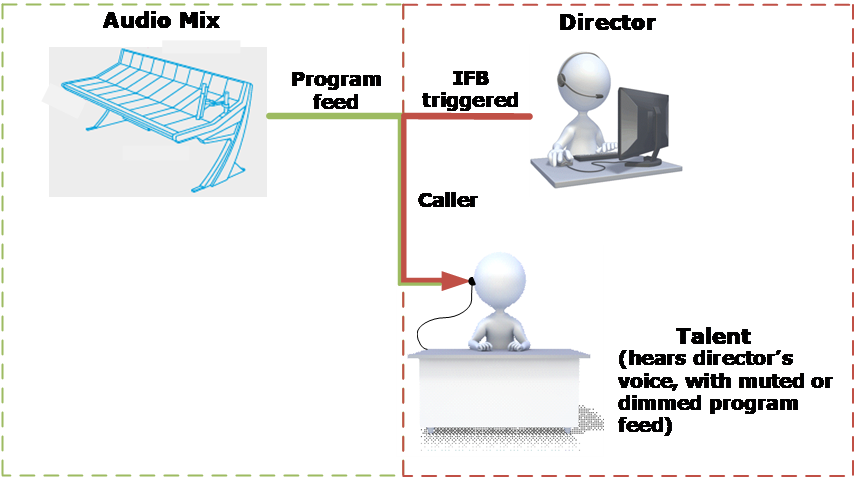
An IFB allows a caller to cut or dim the audio from a configured source to a configured destination. This is typically used in broadcasts where an anchor (destination) listening to a program feed (source) can be interrupted by a director (caller). The anchor will receive audio from the director while the program feed is either dimmed or muted. If the caller priority is set to 1, the audio is mixed with the program feed.
An IFB contains the following components:
-
Source – the audio that is heard when the IFB is not triggered.
-
Destination – where the audio is routed.
-
Dim level – the extent to which the source audio is reduced.
-
Caller – an audio source that triggers the IFB. The IFB destination now hears the Caller audio, and the Source audio in dimmed or muted according to the Dim level setting. Callers are prioritized from 1 (lowest) to 5 (highest) to determine who has precedence in the feed. The default priority is 3.
-
Return/Listen:
-
A return listen enables the caller to hear the anchor/talent.
-
A destination listen can be used to monitor program feeds. The destination listen allows a caller to monitor the audio sent to the anchor.
-
Typical IFB use in a broadcasting scenario is illustrated in the following two diagrams.
Broadcast scenario with no IFB trigger...
Broadcast scenario with IFB trigger...
Audio mix
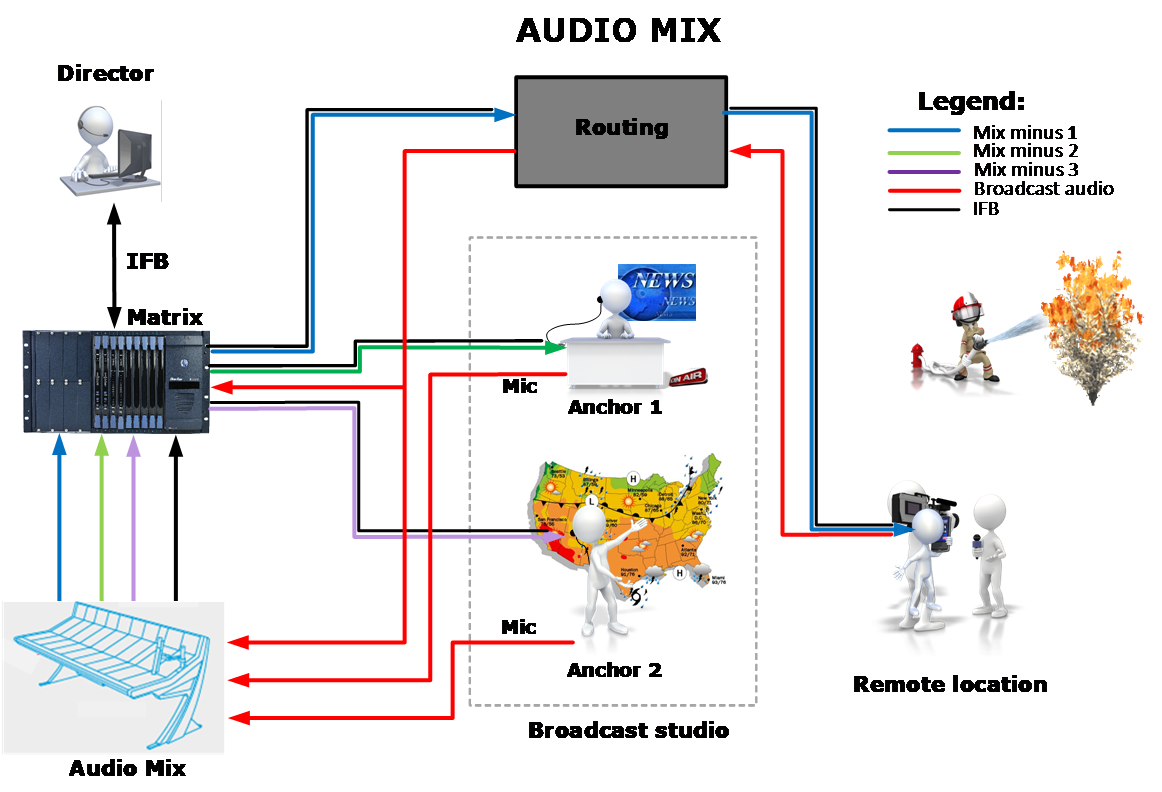
The program feed usually consists of a mix minus combination of audio. This means different listeners in the broadcast location are fed different audio mixes as required. The following diagram shows a broadcasting application with audio mixing, where:
-
Mix minus 1 is Anchor 1 + Anchor 2 minus Remote
-
Mix minus 2 is Anchor 2 + Remote minus Anchor 1
-
Mix minus 3 is Anchor 1 + Remote minus Anchor 2