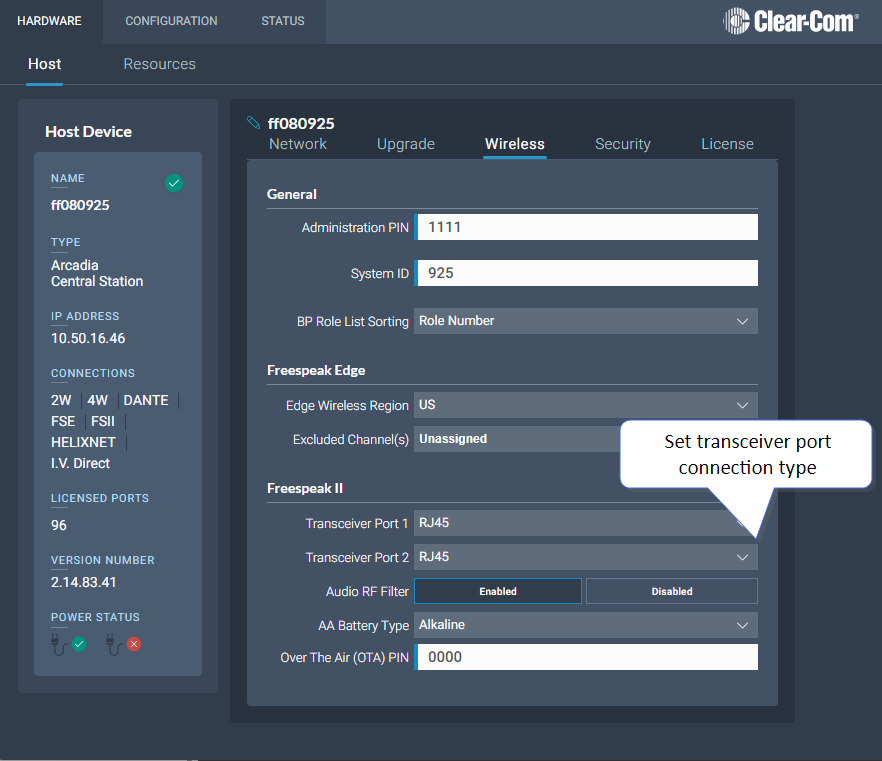
E1 Transceiver/Splitter Port Connection Type (RJ45 or Fiber)
Transceivers/splitters can be connected to the Base Station using either RJ45 cable or fiber cable. You can have two RJ45 connections, two Fiber connections or one RJ45 and one Fiber.
The connection type for the ports is determined by a software setting in the Core Configuration Manager (CCM). Default setting is RJ45.
Setting FSII Transceiver/Splitter Connection Type
In the CCM, navigate to Hardware > Hosts > Wireless.
Select FreeSpeak II > Transceiver Port type as required.