Beltpack Roles
Beltpack roles are used to define your Edge beltpack properties and audio configuration. Roles should be created in your configuration software before you connect your beltpacks to the system. Each beltpack must have one role (1:1 relationship).
Once a role has been generated in EHX, audio and keys can be configured in the panel programming screen. This role can then be fixed to the beltpack so it persists over power cycles, or you can allow a role to be selected by the beltpack user.
To create a role, navigate to EHX>Matrix>Configuration>Beltpack Roles. Click New FS Edge Role.
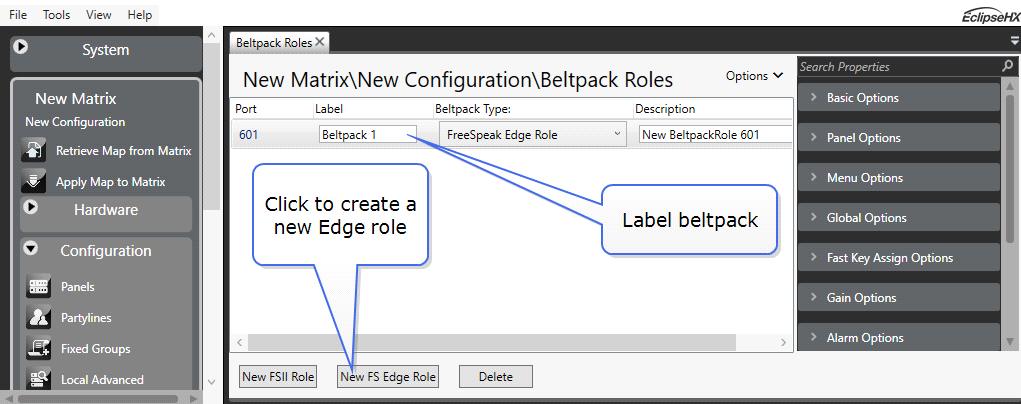
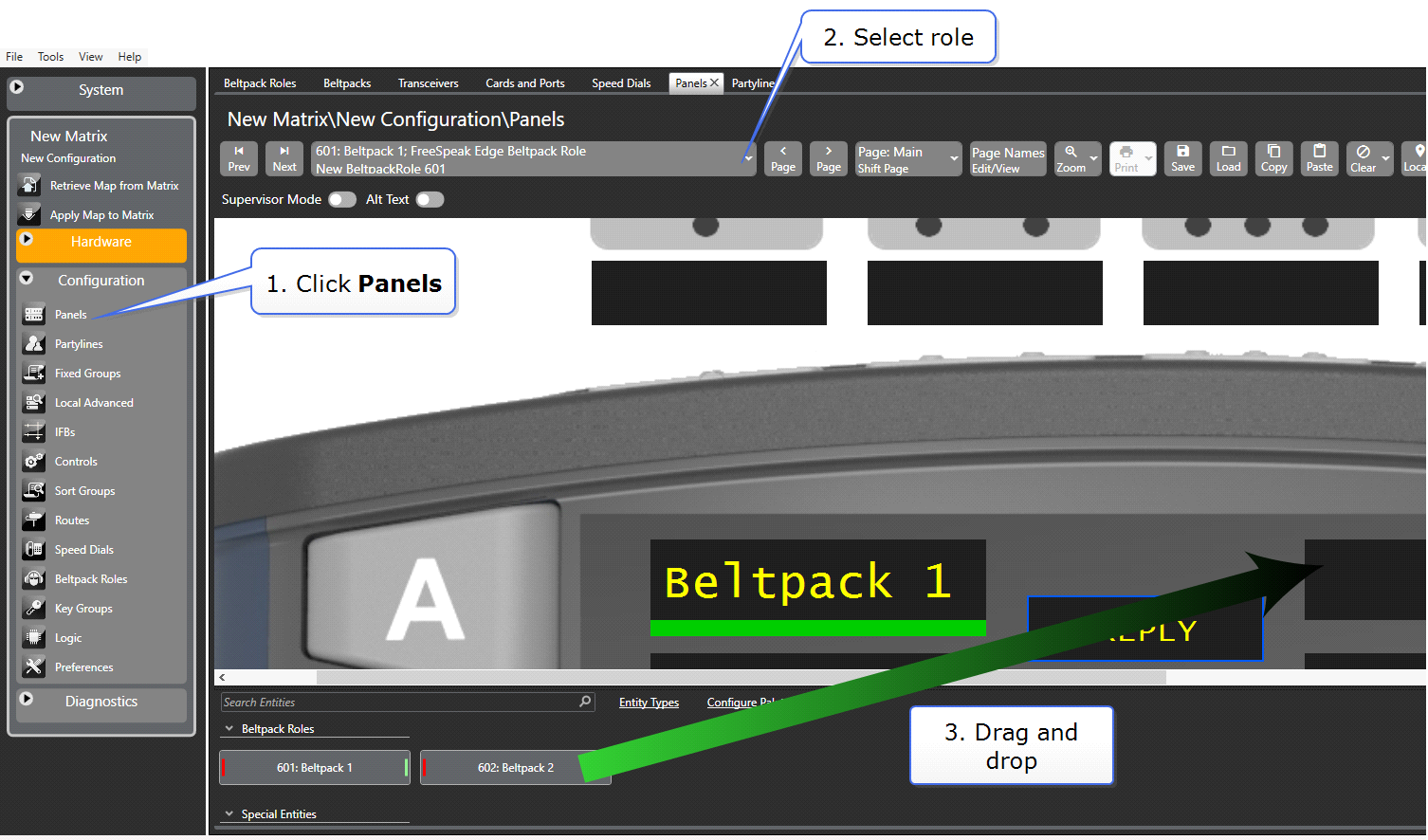
The beltpack role is treated like a panel in the EHX software. Beltpack keys and other audio entities can be dragged and dropped onto the keys. To configure audio for your beltpack navigate to: EHX>Matrix>Configuration>Panels. Then select the beltpack you wish to configure from the dropdown list.
More Information on Programming Roles
To configure your audio entities see Chapter 17. Panel Programming in the EHX Configuration Software User Guide.
For more information on configuring beltpack roles see 20.1.2 Adding and deleting beltpack roles and 20.1.3 Beltpack programming in the EHX Configuration Software User Guide.