
We'd value your feedback. Click here...
Control Events
When using FreeSpeak II, Control Events are used to trigger an event on an action (usually a crosspoint).
For example, the system can be configured to send a call signal to turn on an FOR22 radio when a beltpack talks in a channel.
To use Control Events you must select a source and a destination and then set the type of action you want to happen when the source contacts the destination.
| Possible source type | Possible destination type | Action type | Details |
|---|---|---|---|
|
|
|
|
Control Events, example configurations
To set Control Events, in the CCM navigate to Device>General>Control Events. Set the source, destination and action type as required.
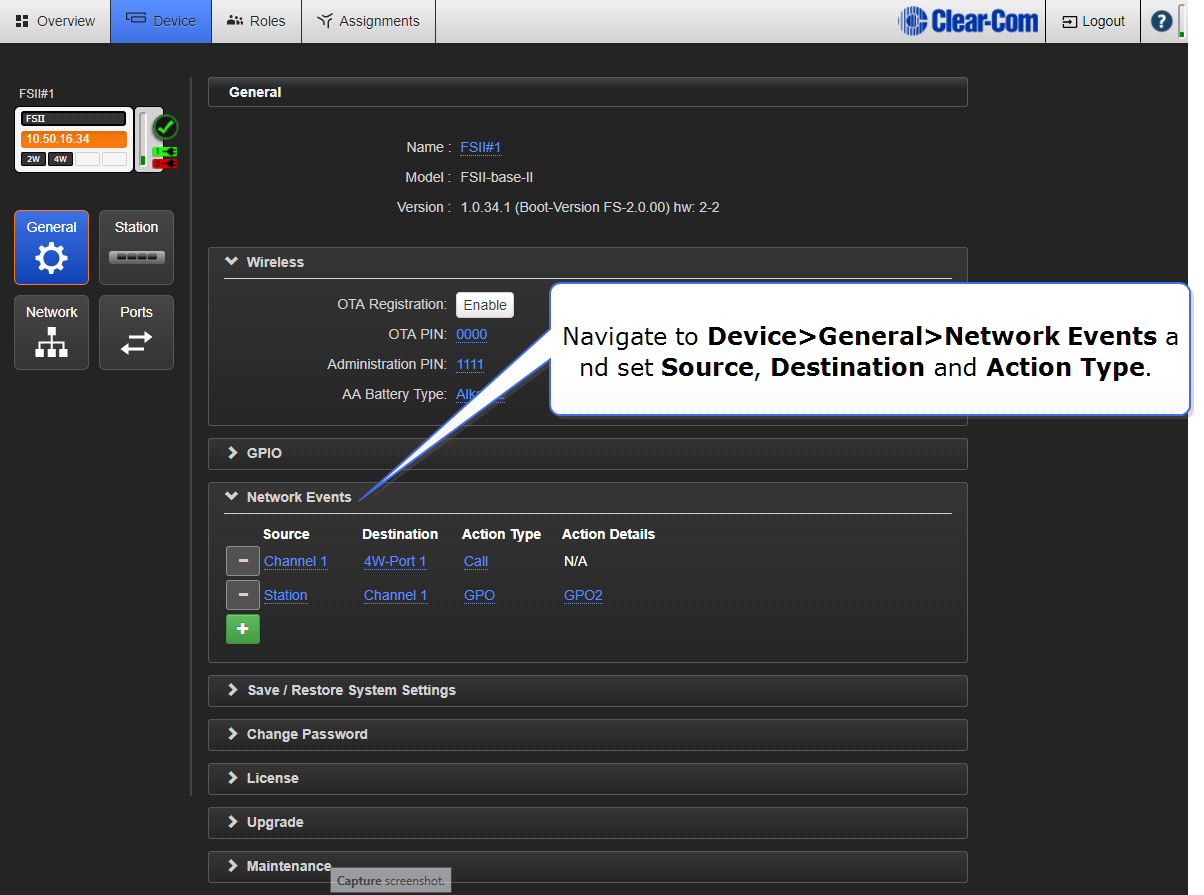
1. Configure trigger for an FOR22 radio (example)
| Source | Destination | Action type | Action details |
|---|---|---|---|
| Channel 1 | 2-wire or 4-wire port | Call | No configuration necessary. A call signal is automatically sent from the port and this activates the FOR22. |
2. Turn on an on-air light when the Base Station user talks to Channel 2 (example)
| Source | Destination | Action type | Action details |
|---|---|---|---|
| Station | Channel 2 | GPO | GPO2 fires when Station talks to Channel 2 |