Virtual Clients - Priority Channels
Priority channels are available for Agent-IC and Station-IC.
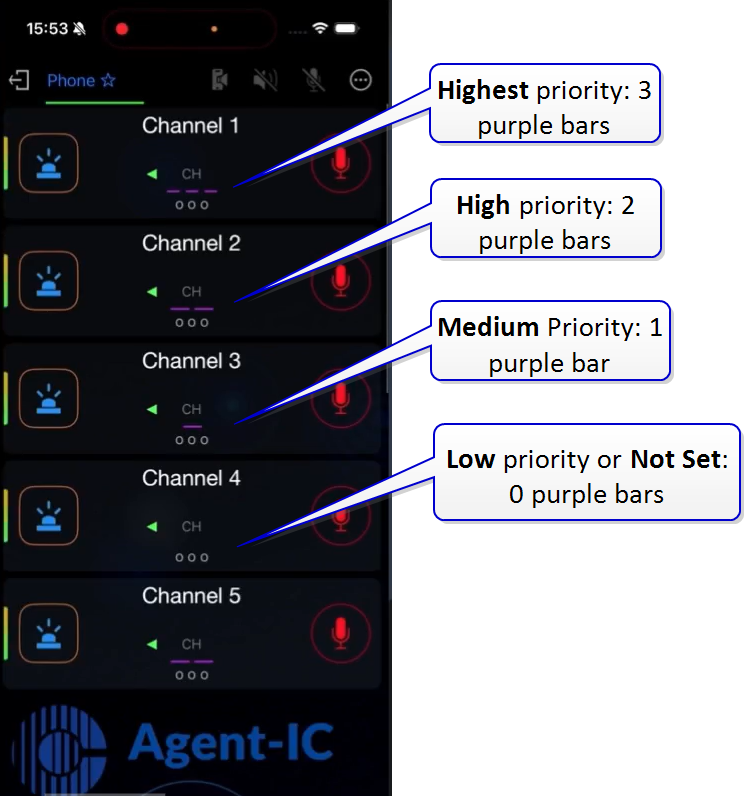
Priority channels allow a virtual client user to dim/duck certain channels while a higher priority channel is talking. Channel priority is indicated by purple bars on the keyset. To change priority level (if configured to be user-adjustable), press the center of the keyset (long press).
-
4 priority levels; Low, Medium, High, Highest
-
Adjust and set channel priorities on the virtual client or from the LQ
-
Lock the priority level for channels (the virtual client user cannot change priorities)
-
Priorities are set on a per channel (keyset) basis
-
Default setting is Not Set
To lock channel priorities from the LQ CCM you must:
-
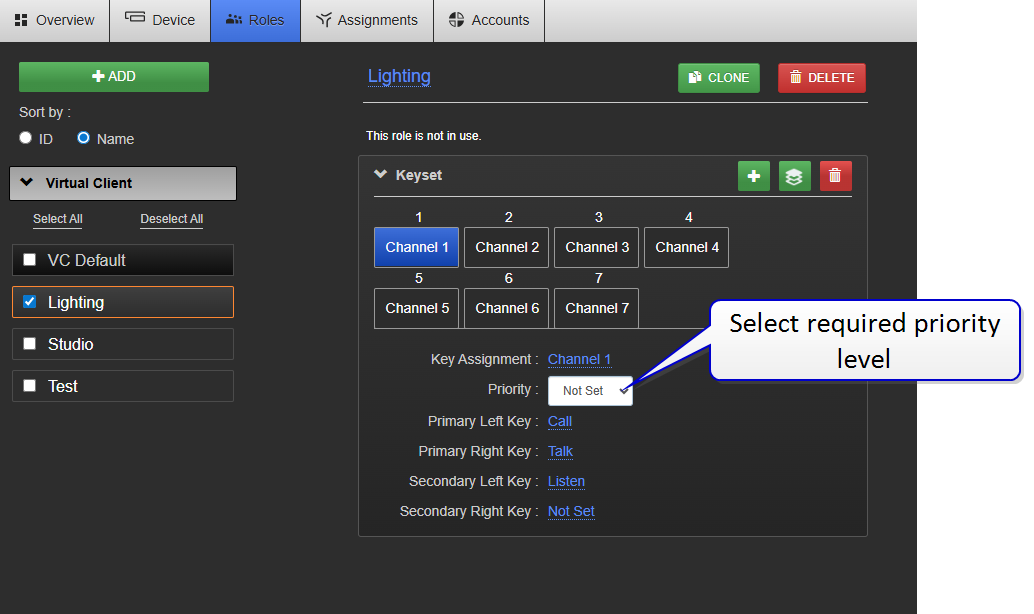
Set the channel priorities on the role
-
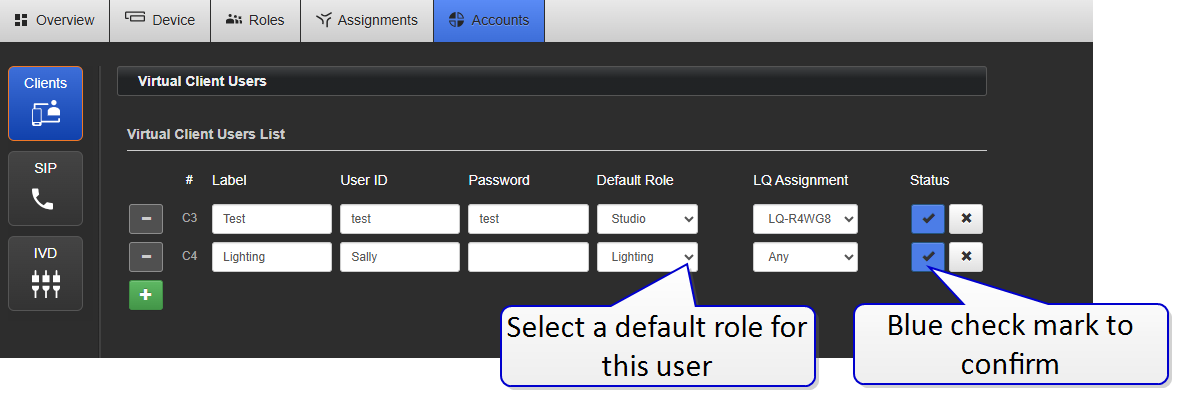
Assign a default (fixed) role to the virtual client account
When the virtual client user next signs into their account, the priorities on channels are locked according the LQ configuration.
 How to set priority channels