Using Channels to Route Audio
- Click on the Assignments button within the navigation bar.
- Select the Channels tab.
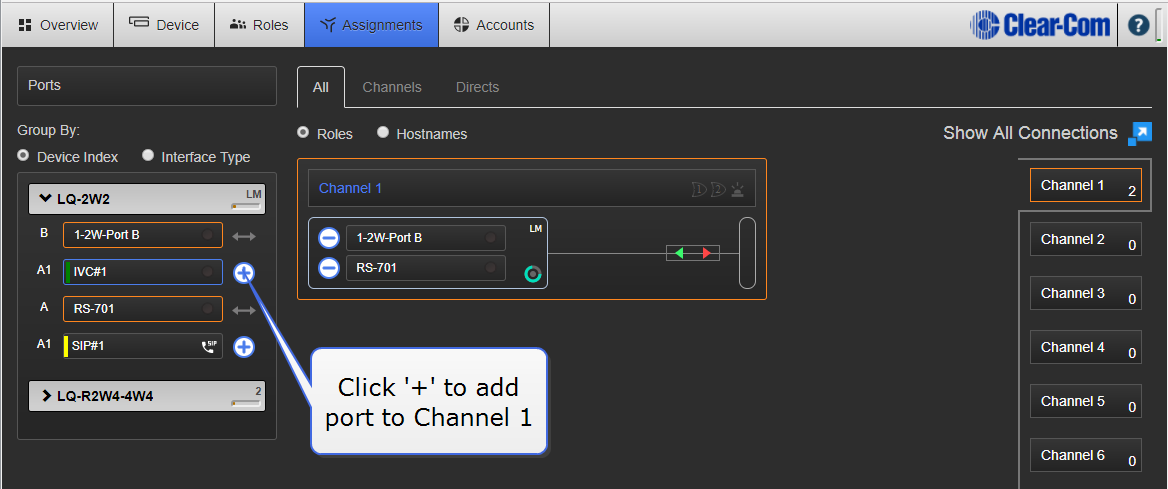
- Select Channel 1 (or other Channel) from list on the right of Assignments page.
- Add Port on each device to required Channel by clicking on the + symbol to the right of each port.
You should now be able to pass audio and call/RMK signaling to/from Port A on each device.
Channel 1 must be selected before audio can be assigned to it. This is shown by an orange highlight.