Network Configuration
In LQ version 3.0 and above network details can be input and changed from the device front screen menu, as well as from the CCM.
| Note: | You can also test that the device GPOs are firing correctly from the front screen menus. Navigate to Menu/ports/port and scroll down. |
Access device configuration menus. 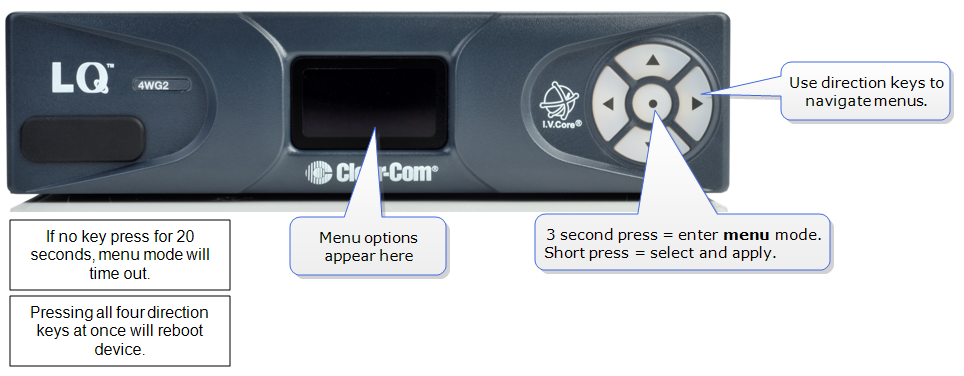
 How to edit network details from the device menus
- Navigate to Menu > Networking > Edit. Edit is at the bottom of the networking list. Use the arrow keys to navigate menus.
- Disable the DHCP setting on your device. This allows you to access network details.
Disable DHCP and select IP for editing. 
Edit and save IP address. 
- Repeat for Subnet mask, Gateway, and DNS as required.