CONNECT menu
Select CONNECT to initiate panel login to a matrix.
The panel login process has three phases:
- The panel checks the network and attempts to reach the address of the login server.
- The panel verifies the user ID and user password.
- The panel completes the connection process.
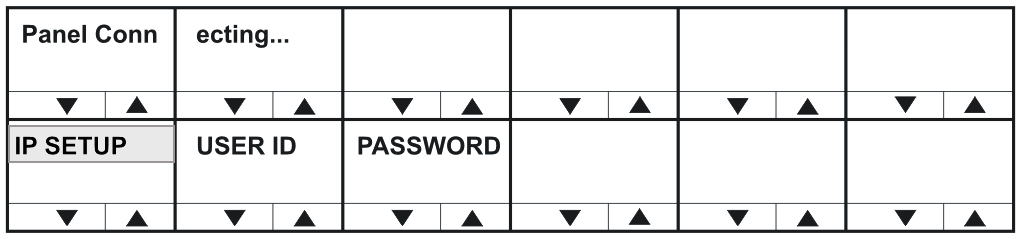
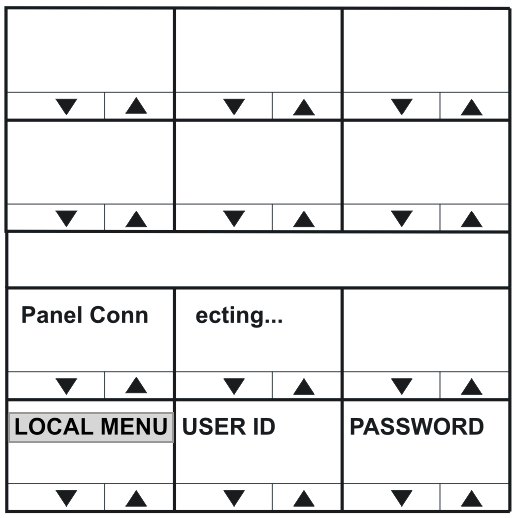
During phase 1 of the panel connection process, only progress messages will be displayed without status codes.
If an error occurs then one of the following status messages is displayed:
| Error / status message | Description / comments |
|---|---|
| Network not connected | LAN cable not inserted. If DHCP mode selected, a DHCP server was not found. |
| IVC Server not found | The login server is inaccessible or not running. |
| Login USER xyz denied | The login server could not find an online IVC to log the panel into. |
The second connection phase begins with the panel identifying itself to the host matrix. During this phase, error and status messages are displayed with status codes and sub-codes.
| Code | Error / status message | Description / comments |
|---|---|---|
| Err 1:0 | Check User ID | The name or password supplied were invalid. |
| Err 4:0 | Media busy | The system is busy and will try again shortly. |
| Info 3:0 | Connecting... | OK, connecting to the E-IPA or IVC-32. |
| Info 5:0 | Reconnecting | OK (the call is being made again with new codec settings). |
| Err 8:0 | Connection lost | The E-IPA or IVC-32 connection was lost. |
If the IVC-32 card is reachable, but another error occurs that indicates a more detailed networking or configuration issue, then the error code starts with 6.
| Code | Error / status message | Description / comments |
|---|---|---|
| Err 6:0 | Local call cleared | |
| Err 6:1 | Call rejected locally | |
| Err 6:2 | Locally declined | |
| Err 6:3 | Remote cleared call | E-IPA or IVC-32 has cleared the call |
| Err 6:4 | Remote refused call | E-IPA or IVC-32 has refused to accept the call from the panel |
| Err 6:5 | Remote ans. timeout | The E-IPA or IVC-32 has not replied to the call within the timeout period |
| Err 6:6 | Remote stopped | E-IPA or IVC-32 card has stopped responding |
| Err 6:7 | Transport cleared | |
| Err 6:8 | Transport connection | |
| Err 6:9 | Gatekeeper cleared | |
| Err 6:10 | Cannot find user | The user name specified by the panel is not known to the target system |
| Err 6:11 | Not enough bandwidth | The network did not have enough bandwidth available for a connection |
| Err 6:12 | No common capabilities | |
| Err 6:13 | Call was forwarded | |
| Err 6:14 | Bad password | The panel name or the password is incorrect |
| Err 6:15 | Local end busy | Network congested |
| Err 6:16 | Local end busy | Network congested |
| Err 6:17 | Remote end busy | Network congested or E-IPA/IVC-32 busy |
| Err 6:18 | Remote end busy | Network congested or E-IPA/IVC-32 busy |
| Err 6:19 | Remote party unavailable. | Target E-IPA/IVC-32 could not be contacted |
| Err 6:20 | Remote disconnected OK | The E-IPA/IVC-32 has terminated the connection |
| Err 6:21 | Remote offline | The E-IPA/IVC-32 could not be reached |
| Err 6:22 | Remote may retry | E-IPA or IVC-32 may retry the connect. |
| Err 6:23 | Remote unmapped | |
| Err 6:24 | Call duration exceeded | |
| Err 6:25 | Invalid conference ID | |
| Err 6:26 | Connection timed out | Network load cased disconnect |
Errors are often caused by an invalid user ID or password being used. However, if the error indicates a network problem (such as insufficient bandwidth), you are advised to contact your network administrator.