LOGIN PORT menu
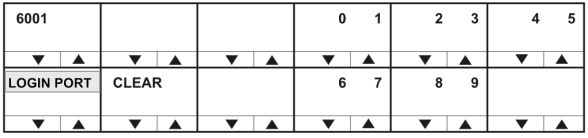
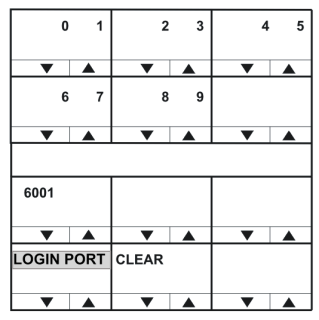
Use the CLEAR key to clear the current login port number, and then enter the new login port number.
In lever key and pushbutton panels, use the up / down buttons to select the digits. For rotary panels, press the rotary control to select the left digit and the talk button to select the right digit.
Each time a digit is selected the cursor will advance to the next digit automatically. Pressing the lever key down or the pushbutton or the rotary control will step back to the previous digit.
When the login port number has been entered exit the menu using the LOGIN PORT key or talk button.
The IP port that the panel uses when logging in to a matrix must be the same as the port set up in EHX for the matrix to listen for logins.
This may not be the same port number used by the panel to communicate with an IVC-32 card set up in EHX under Matrix Hardware.
When a panel logs in to a matrix, the matrix sends the IP address of the IVC-32 card and the port number to use back to the panel.