MESSAGE menu
Use the MESSAGE menu to enable outgoing messages to be recorded, reviewed, output to audio and erased.
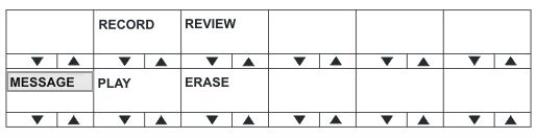
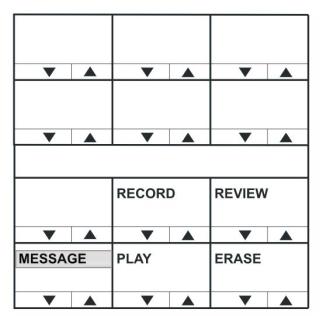
The MESSAGE menu provides access to the following menu options / actions:
| Menu options / actions | Description / comments |
|---|---|
| RECORD | When you press the RECORD button, you can record up to 10 seconds of audio from the microphone into an audio file on the panel. Text inverts while the button is pressed. |
| REVIEW | When you press the REVIEW button, the outgoing message is played to the currently selected output device (Headset or Loudspeaker).Text inverts while the button is pressed. |
| PLAY | When you press the PLAY button, the outgoing message is output to the route configured by EHX. This will normally be Matrix 1 or Matrix 2 but may be the EXT1 or EXT2 output.Text inverts while the button is pressed. |
| ERASE | When you press the ERASE button, the current outgoing message is erased. |
| Configurable Messaging | Enables access to the Messaging menu on v-series panels.If the tick box is disabled, the panel will not show the MESSAGE menu.If the option is enabled, the panel is in the messaging menu and the PLAY button is on: 1. Panels with a listen to this panel will hear the recorded audio. 2. Another panel talking to this panel will also get a listen route and will be able to hear the recorded message. Note that only a maximum of 10 panels simultaneously talking to that panel will hear the recorded message if the PLAY button is on. |
To return to the LOCAL PREF menu, press the Reply key / Reply key talk button (MESSAGE).
You can use the recorded output message to verify audio paths between ports.
Select a talk path set up on the panel, then enter the MESSAGE menu and press PLAY. If the talk path connects to another panel, the message is heard as an incoming talk on the target panel.