Network requirements
Clear-Com AoIP devices need careful setup of IP settings as the E-IPA card uses up to three IP addresses. It also requires careful setup of network switches. For details see Clear-Com AES67/AoIP Network Recommendations.
| Note: | Disable PoE (Power over Ethernet) on switch ports connected to Iris LAN connectors to avoid rare down/up events which affect the functionality of the panel. |
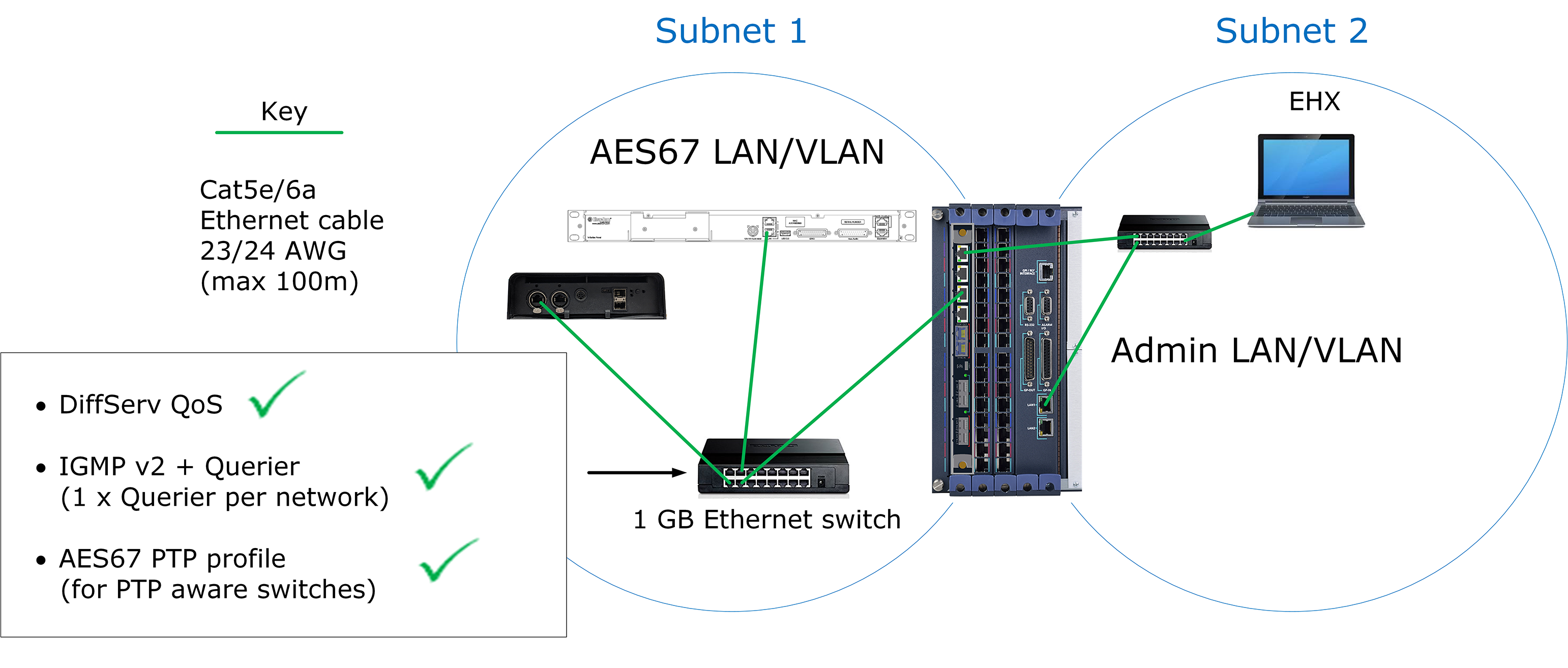
Example of matrix ot AoIP devices setup
- Clear-Com recommends that you keep the AES67 ports and the Admin port of the E-IPA card separate as shown above.
- The LAN connector on the CPU card of the matrix must be on the same network as the E-IPA Admin port and the PC hosting the EHX software.
E-IPA Configuration rules
- Admin & IVC must be on different subnets if split (the default puts both Admin and IVC on the same LAN connector). The IVC connection must use a static IP address.
- AES67 must not be connected to the same LAN/VLAN as Admin & IVC unless all three are sharing the same rear connection.
- Do not connect more than one cable from the E-IPA to the same LAN/VLAN. If you do, a broadcast storm could occur.