SYSTEM DATA menu
Select the SYSTEMDATA menu to display system information for the panel.
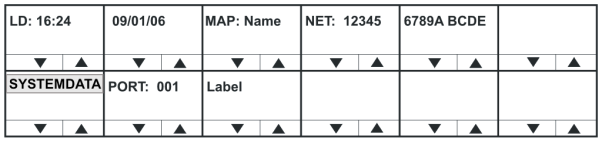
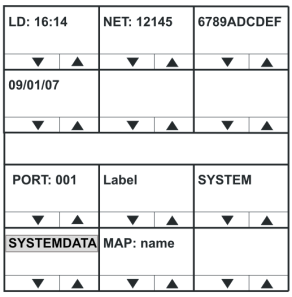
The SYSTEM DATA menu displays the following information:
| System information | Description / comments |
|---|---|
| LD | Time and date of last configuration / map download. |
| MAP | Name of configuration / map. |
| NET | Systems configured and connected to the panel |
| PORT | Port number of the panel |
| Label | Panel label |
| Note: | To return to the DIAGNOSTIC menu, press the Reply key or Reply key talk button (SYSTEMDATA). |