Workflows
Arcadia's Essential feature set includes various configuration options to provide users with effective intercom workflows.
Combined with the ability to have various keys on the intercom user stations, Arcadia Essential gives you tools to increase the power and efficiency of your teams.
Channels for Teams
| _150x169.png "Integrated workflow icon") |
You may have a team of people working on a project. Partyline channels enable everyone to talk and be heard by any member of the channel without restrictions. Channels are a mainstay of Clear-Com intercom systems.
For example, a Main / Production partyline is established for everyone to convey important announcements. Then, additional sub-channels are created for sections of the team who collaborate on different topics. Creating and assigning sub-channels minimizes chatter on the main channel and enables collaboration on team topics and tasks.
Directs for Private Conversations
|  |
In some cases, the ability to have a private conversation with a team member is needed. With a direct talk key, you can contact someone directly, whether the call recipient has a key to you or not (in which case, they can respond with the reply key).
Groups for Announcements with a Private Talk Back
|  |
A variation of directs are groups, which allow direct talk to the assigned users of the group at the press of a button. Responding to a group call automatically becomes a private conversation.
IFB for Interrupting/Ducking
| 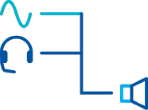 |
This communication system workflow is commonly used in broadcast. For example, on-air talent hears program- or monitoring audio input until someone talks to them, interrupting the program or monitoring audio to get the talent’s undivided attention. This same workflow is also common in paging systems whether it is in the lobby of the theater or a supermarket where background music feeds the paging zone and ducks during a page. In theatre, a performer can be given an ongoing clear guide track which ducks when receiving instructions from a stage manager.
Roles
| 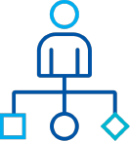 |
You are provided with role templates, but these can be created, edited and cloned to suit your team needs.
Logic
|  |
GPIO can be used for a variety of purposes. An on-air light or other beacon can be triggered either by an external device (footswitch or push-button) or by a call-signal, crosspoint or audio-gate. Two-way radios can be activated, or a curtain raised. GPIO can be used across systems, enabling remote applications.
Interface Ports for using Generic Audio Devices
|  |
Interfaces are most commonly used to interconnect different intercom systems. Interfaces can also facilitate any audio peripheral to be used for communications. This can include; multi-zone paging for stage announce into side fills, ceiling or powered speakers, direct inputs into musician's in-ear monitor systems, listens to various audio sources for monitoring, microphone inputs, quality control or cueuing purposes.