Setting Up Gen-IC Linking
You can link different Gen-IC subscriptions to increase the capacity of your intercom system. One subscription is designated Link-Master, and can link to up to five Link-Member subscriptions sharing the configuration of Roles, Channels and Accounts from the Link Master. For example, if you link two subscriptions of eight users, the link group has 16 users.
| Note: | You can only link Gen-IC subscriptions of the same level, for example Premium with Premium or Essential with Essential. It is not possible to link Premium with Essential. Linked Subscriptions can have different duration. |
| Note: | All Gen-IC subscriptions are Link Master by default. |
If you link an LQ to your Gen-IC link group, your link group has the same connectivity as your on-premise LQ. For example, 2-wire audio, 4-wire audio, GPIO Controls, SIP calls, and I.V. (/IVC) Direct.
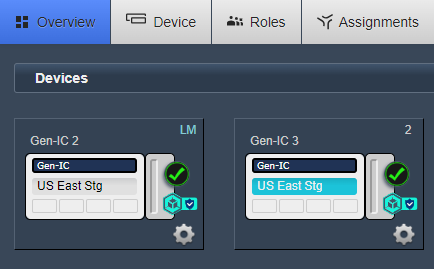
To add a subscription to an existing Link-Master subscription, navigate to Device > Linking and select the subscription to link as a Link-Member. In this example, it is Gen-IC 3.
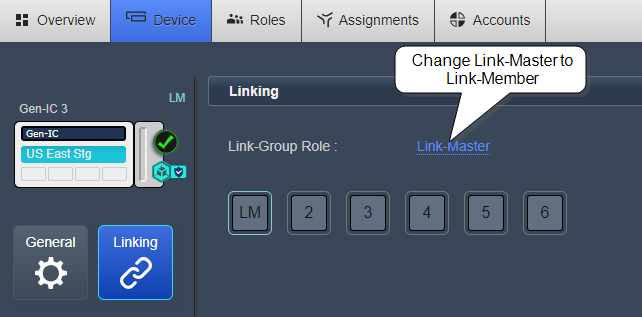
Change the Link-Group Role from Link Masterr to Link Member.
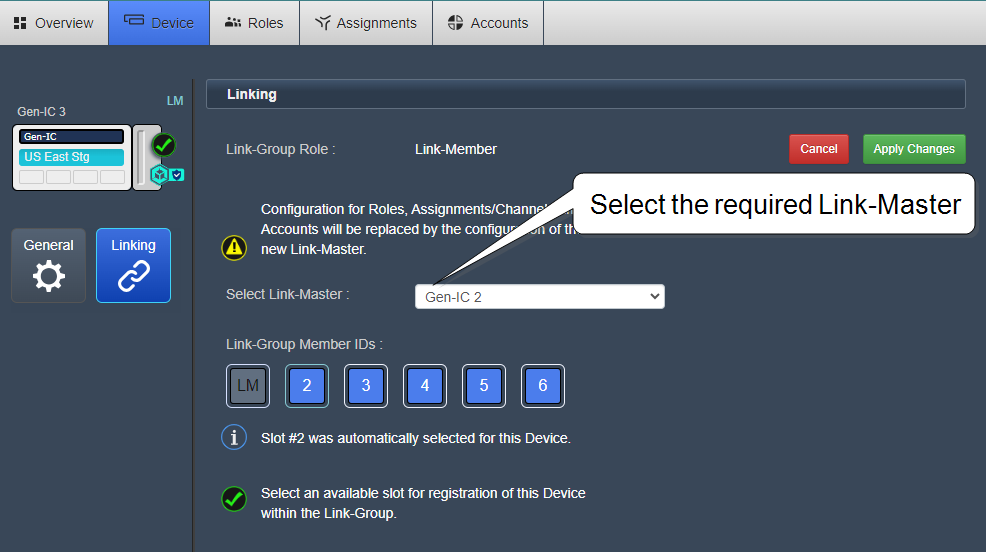
From the Select Link-Master drop down, select the Link-Master subscription to link to. In this example, it is Gen-IC 2.
A slot is automatically selected for the device. Optionally, you can select a different slot.
Select Apply Changes. The subscriptions are now linked and sharing the configuration of Roles, Channels and Accounts from the Link Master.