Port Function
To Matrix (default) or To Panel
Check this function whenever you are connecting 4-Wire devices.
 About Port Function
Clear-Com products are designed so matrices can connect directly to panels/Base Station/main station using a straight-through CAT 5/6 (Ethernet) cable. The pin assignments (inputs and outputs) on these devices are complementary. Previously, a crossover cable was necessary when connecting Bases to other Bases. It is no longer necessary to use a crossover cable as there is now a Port Function toggle which changes pinouts as required. This is function is found in port options and can be set from the CCM or the Base Station front panel menus.
Pin Assignments
| Port Function pin assignments | ||
|---|---|---|
| Pin | To Panel/Base Station | To Matrix |
| 1 | Data in + | Data out + |
| 2 | Data in - | Data out - |
| 3 | Audio in + | Audio out + |
| 4 | Audio out + | Audio in + |
| 5 | Audio out - | Audio in - |
| 6 | Audio in - | Audio out - |
| 7 | Data out + | Data in + |
| 8 | Data out - | Data in - |
When connecting one FreeSpeak II Base to another FreeSpeak II Base, one device must be set ‘To Matrix’ and the other ‘To Panel’.
How do I set Port Function (pin polarity)?Set Port Function in the CCM 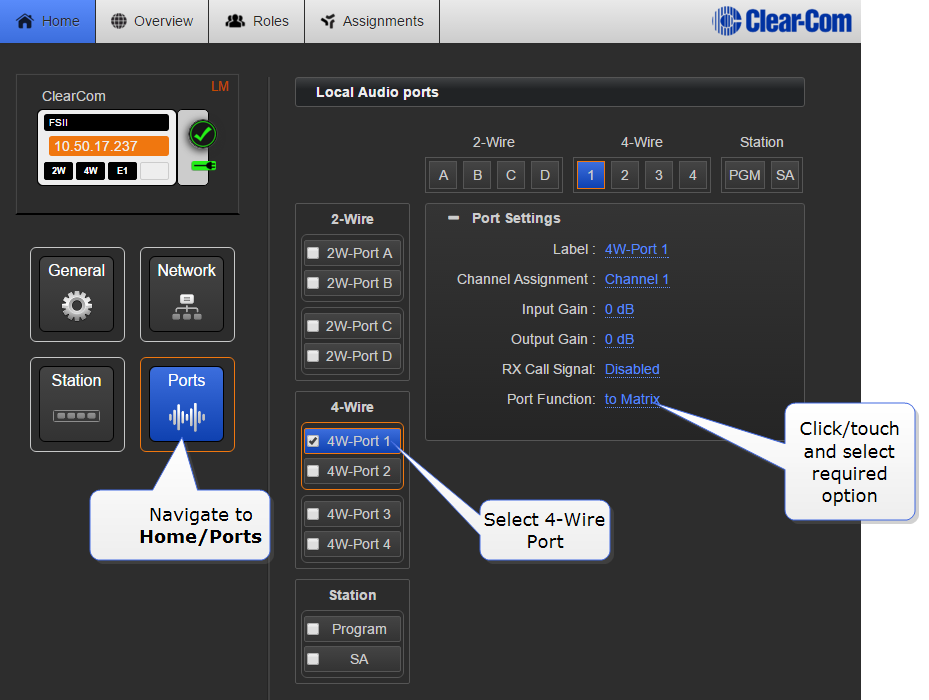
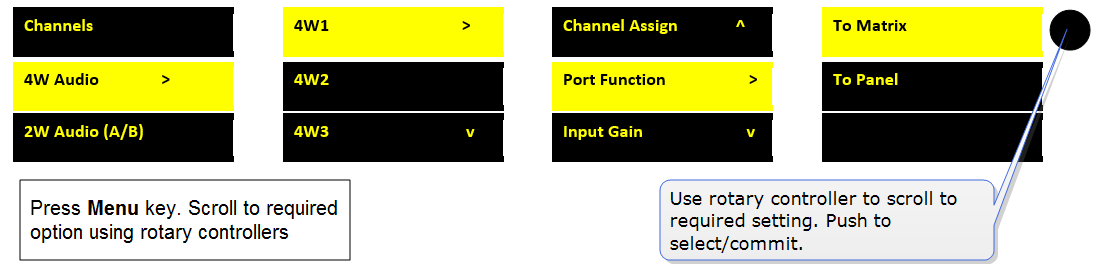
Set Port Function from the Base Station