Home >Topics > Upgrading devices
Upgrading your devices (Base, antennas, beltpacks)
 About upgrading your devices
To upgrade your devices, you will need to import the upgrade file provided by Clear-Com into the unit. This can be done either from the browser-based configuration tool (the CCM) or from the Base Station front menu screens. The process is the same for each device type.
| Device type | File type (where xxxx = revision no.) |
|---|---|
| Base Station | FSII_xxxxx.gz |
| Beltpack | PP_xxxxx.FFW |
| Antenna | RFP_xxxx.FFW |
How to upgrade your devices
Click/touch images to enlarge/minimize
Show me how to upgrade devices from the CCM: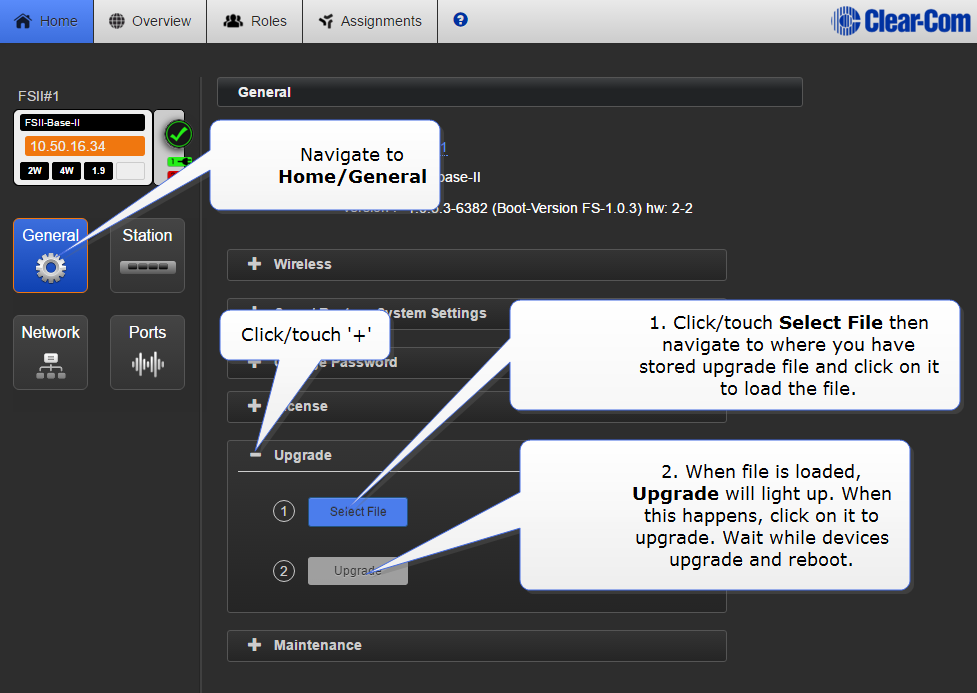
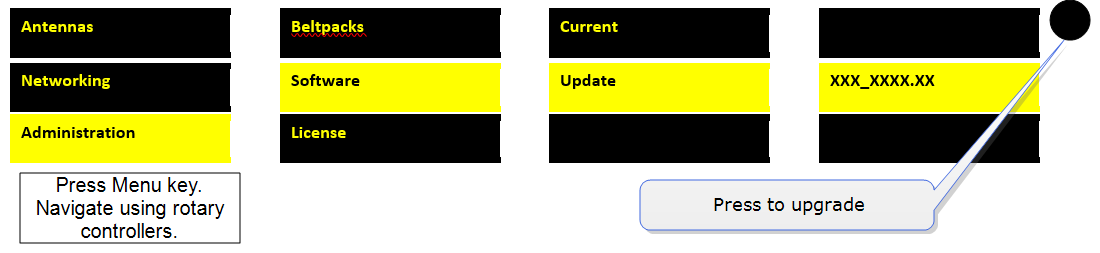
Show me how to upgrade devices from the Base Station menus: 1. 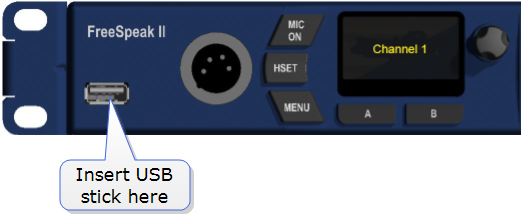 2.
2. 
Related links